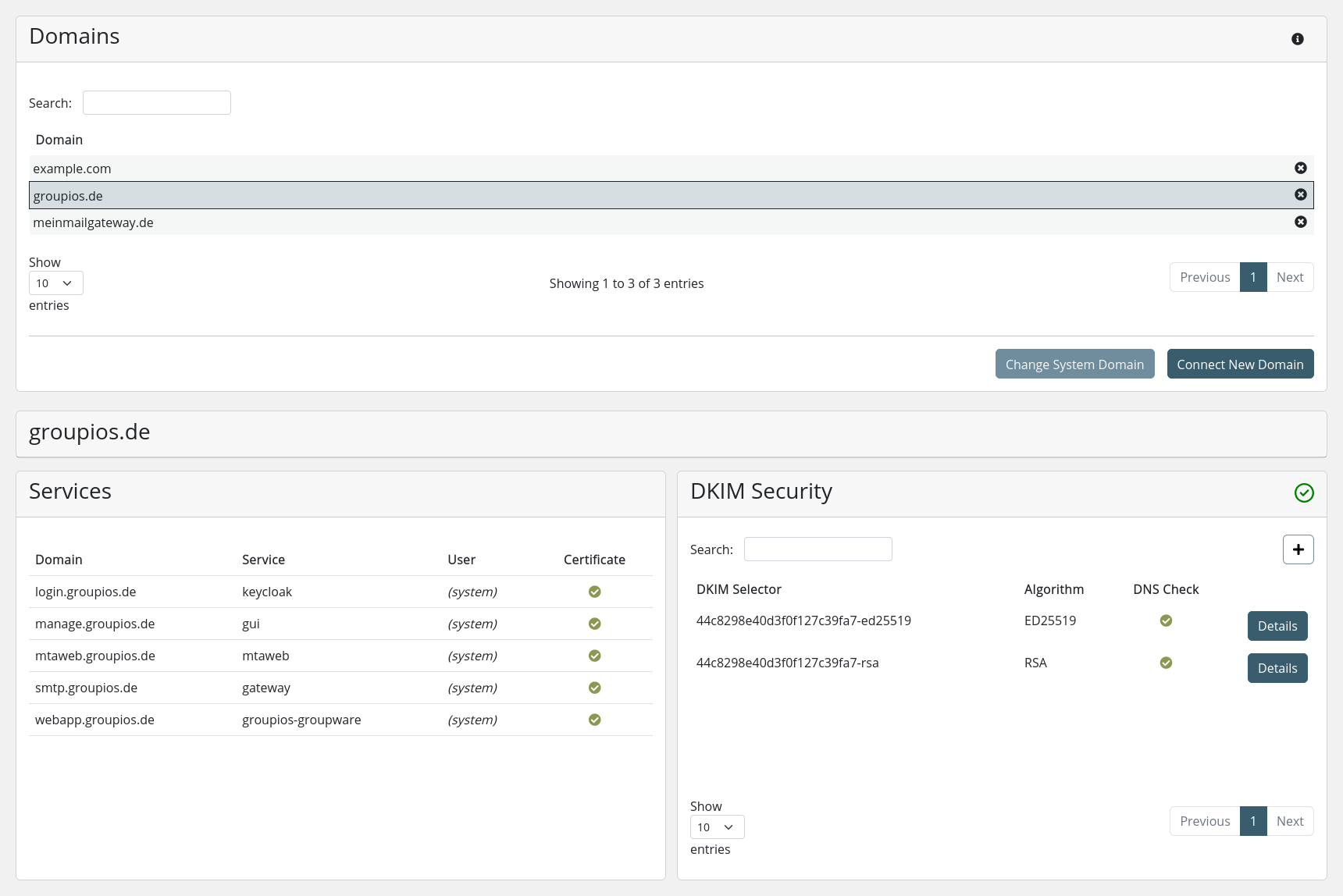
Choosing different subdomains
To change a service's subdomain, just select the corresponding service in the dashboard.
Change system subdomain from Management Interface (Recommended)
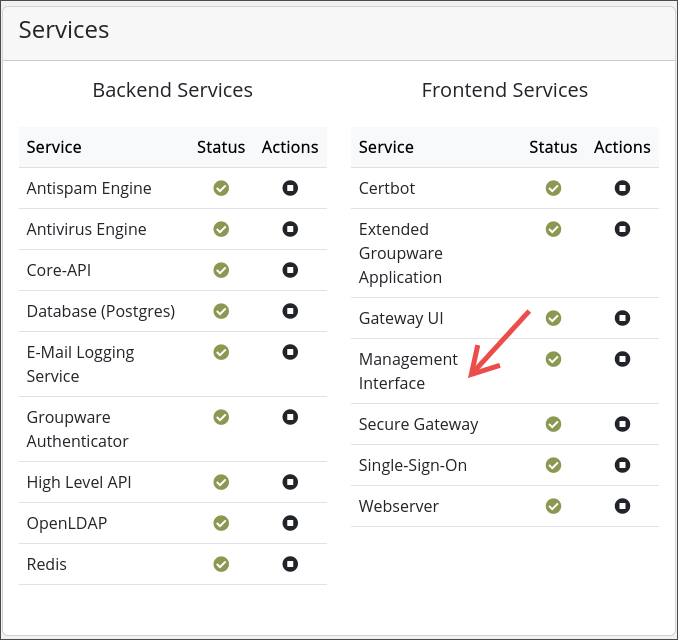
In the following modal, enter and configure the new subdomain, then click "Change." Please note that changing the subdomain may cause certain services to restart, temporarily making the system unresponsive until all services are fully operational again.

Manually setting system subdomains (Deprecated)
The general flow to set different subdomains is to:
-
acquire the necessary certificate for the subdomains as explained in System - Certificates
-
manually override the service subdomain entries in the OpenLDAP server. This explained below
-
change the System Domain as explain in First Steps - Update the System Domain and System - Domains
Override service subdomain entries in OpenLDAP
The service domains are managed via the OpenLDAP server and can be listed via the following command:
docker exec -i openldap bash -c 'ldapsearch -D "cn=admin,dc=tuxguard,dc=com" -w $(cat /var/run/secrets/ldap_admin_password) -b "dc=tuxguard,dc=com" "(objectClass=tgServiceDomain)"'
For example, should the subdomain mail be changed into webapp, we first check the current entry:
[root@manage ~] docker exec -i openldap bash -c 'ldapsearch -LLL -D "cn=admin,dc=tuxguard,dc=com" -w $(cat /var/run/secrets/ldap_admin_password) -b "dc=tuxguard,dc=com" "(&(objectClass=tgServiceDomain)(identifier=kopano))"'
dn: dc=mail.groupios.de,ou=groupios.de,ou=Domains,dc=tuxguard,dc=com
objectClass: tgServiceDomain
objectClass: top
dc: mail.groupios.de
identifier: kopano
From this we determine that we need to change:
mail.groupios.deintowebapp.groupios.de
Attention
In this case there has already been a System Domain change to groupios.de. Should there have been no System Domain change, the Service Subdomains will be listed under localhost. I.e. the service domain for kopano will be mail.localhost. In this case you would need to change mail.localhost into webapp.localhost before performing the System Domain change.
To change the Service Domain you can utilize ldapmodify:
[root@manage ~] docker exec -i openldap bash -c 'ldapmodify -h localhost -p 389 -D "cn=admin,dc=tuxguard,dc=com" -w $(cat /var/run/secrets/ldap_admin_password) <<EOF
dn: dc=mail.groupios.de,ou=groupios.de,ou=Domains,dc=tuxguard,dc=com
changetype: moddn
newrdn: dc=webapp.groupios.de
deleteoldrdn: 1
newsuperior: ou=groupios.de,ou=Domains,dc=tuxguard,dc=com
EOF'

modifying rdn of entry "dc=mail.groupios.de,ou=groupios.de,ou=Domains,dc=tuxguard,dc=com"

[root@manage ~]
Note
Simply changing this entry won't have an effect on the internal mechanisms. Therefore, to ensure this change takes effect, you must execute the System Domain change.
Important
You can also perform the System Domain change to the same System Domain. In our case we would reset the System Domain again to groupios.de. But if you have not performed the System Domain change yet, you would simply perform as usually by finalizing the initialization process with the first System Domain change.
After applying the subdomains via the System Domain change the results can be inspected in the "System - Domain" detail view of the corresponding System Domain. In our case we switched the gateway and mail subdomain respectively: