User Management Interface
The User Management Interface offers the following features to a logged-in user
- Change the user's password
- View the user's aliases and groups
The control panel can be accessed by going to the "Security" settings or by navigating to mail.example.com/manage.

S/MIME
If your organization installed and enabled the CipherMail module, you can access the S/MIME control panel.
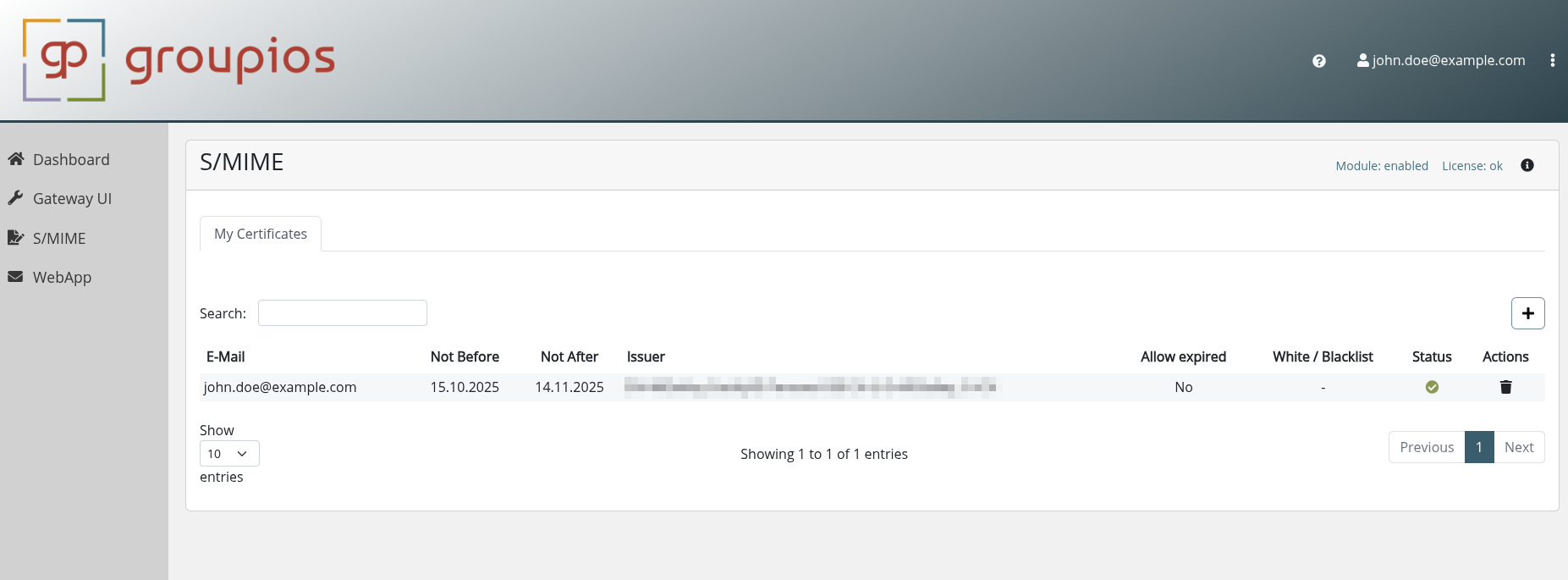
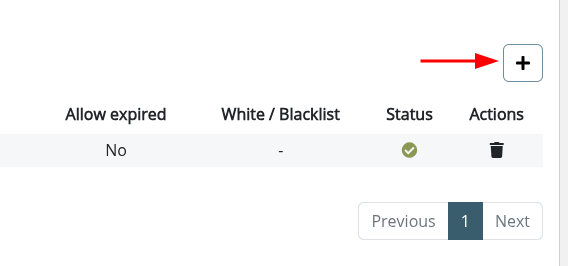
Click the + button in the top right to upload a .p12 file containing your certificate and key material.
 .
.
Note
You must control the email addresses in the certificate to upload it successfully.
If the certificate contains an address you cannot send from, ask your administrator for a mail alias or group.
Afterward, outgoing emails are signed with your key material and include your certificate.
Incoming encrypted emails are decrypted automatically.
To modify allow expired, whitelist and blacklist status, please ask your administrator.
Gateway User Interface
If the user's tenant is also licensed for Secure Gateway, the Gateway UI navigation point will be visible to the user.
Here the users have access to their:
- Message Logs
- Black- and Whitelists
- Subscriptions
- Gateway Preferences
Message Logs
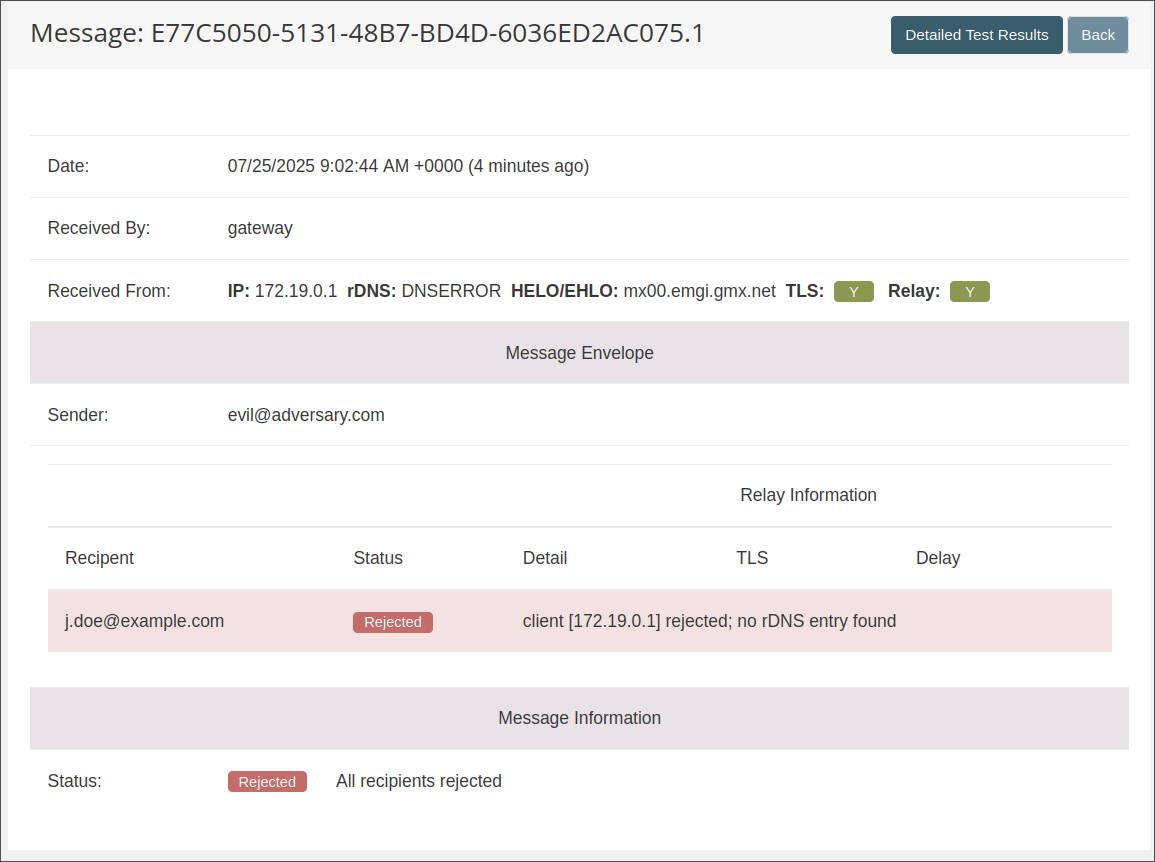
Under Messages the user is able to view their message logs.

By pressing a specific entry, more details about the message are revealed:
Black- and Whitelists
Navigating to Lists the user is able to specify their own Black- and Whitelists:

Subscriptions
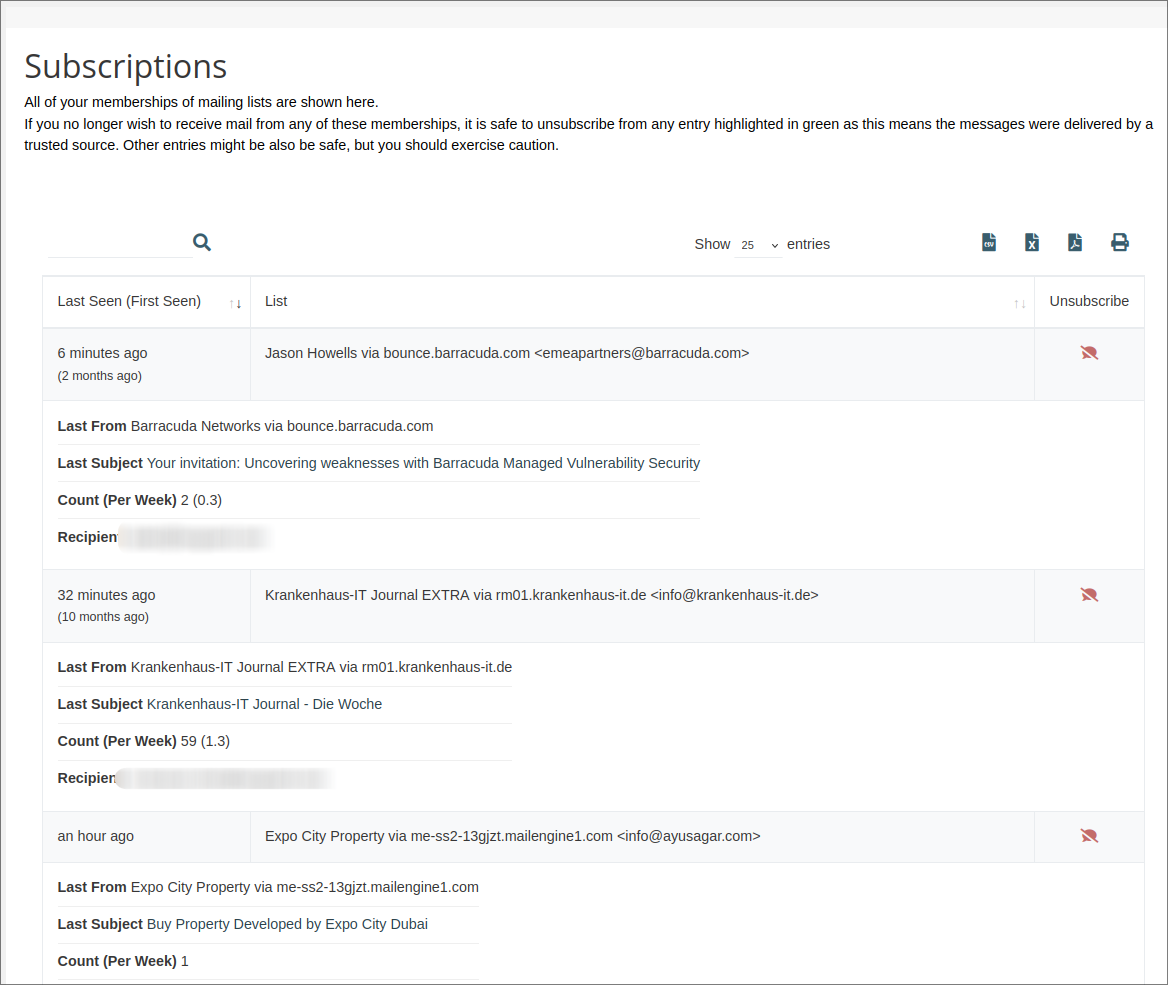
The Subscriptions menu provides users with a comprehensive overview of all their subscribed mailing lists, along with the option to unsubscribe from them.
Preferences
User specific settings can be configured under Preferences:

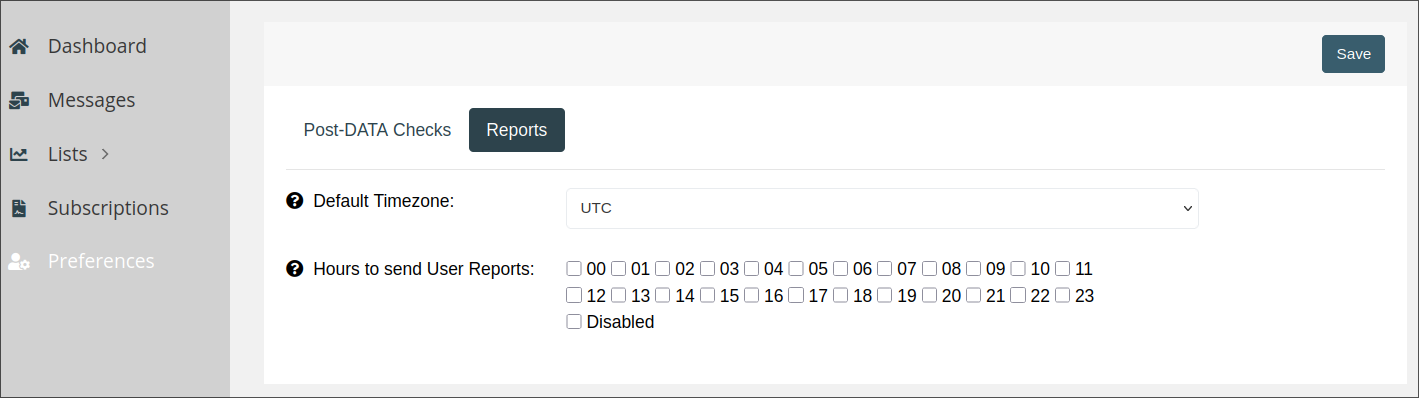
Quarantine
By applying a Rspamd Quarantine Score incoming mails might be put into quarantine when exceeding the configured threshold.
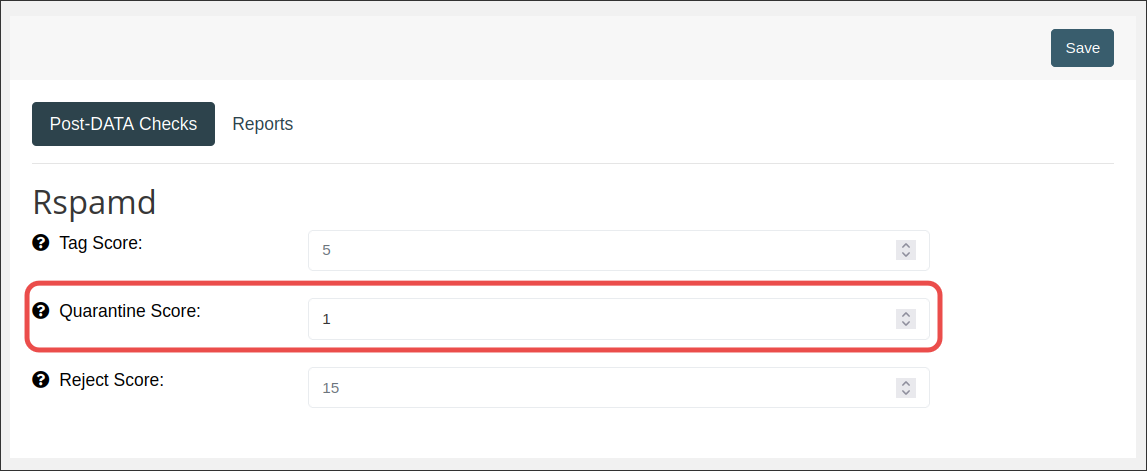
Messages which are quarantined are listed under Messages.
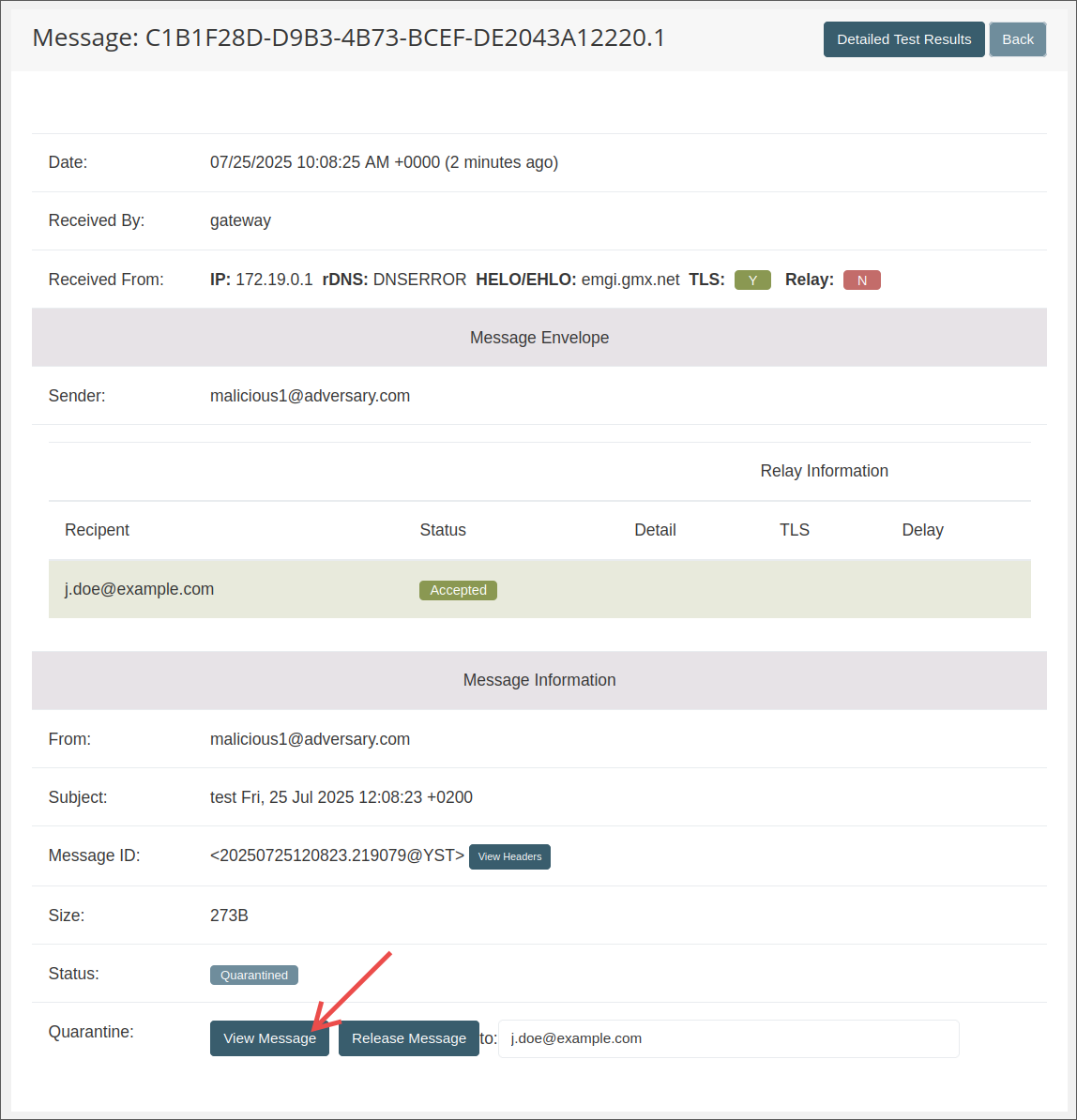
By clicking View Message the contents of the quarantined E-Mail can be inspected:
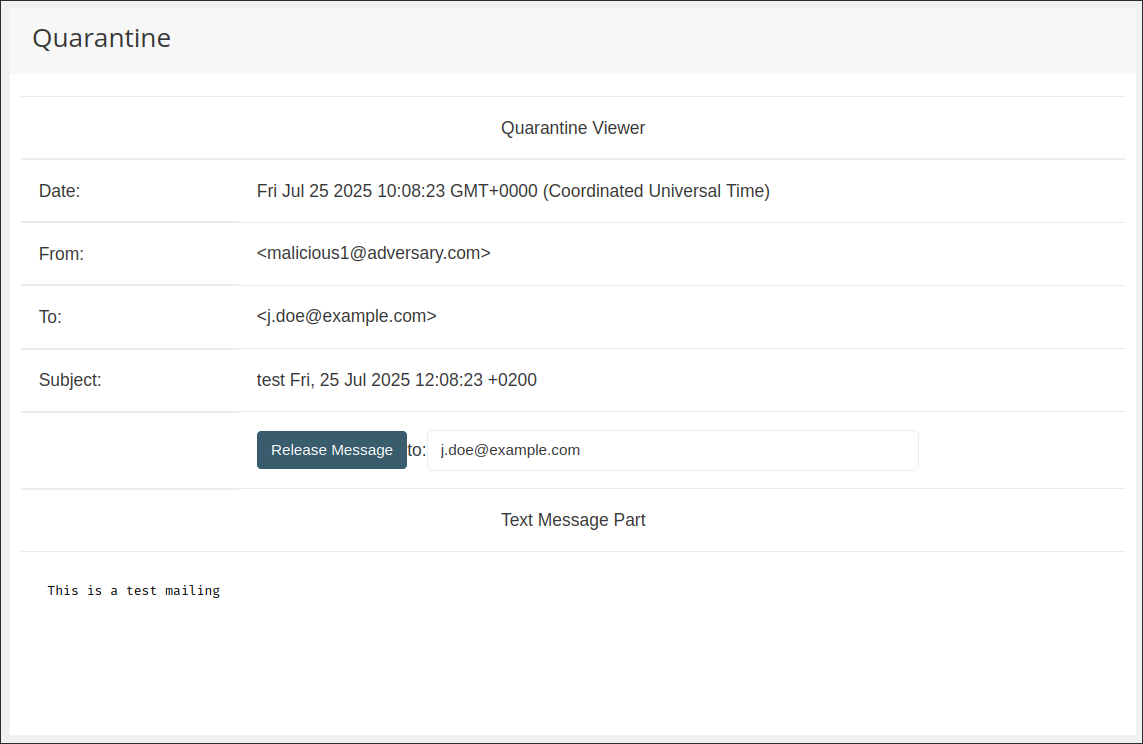
The message can be released to any recipient by specifying the recipient before pressing Release Message.